Chartomodo

Chartomodo
About
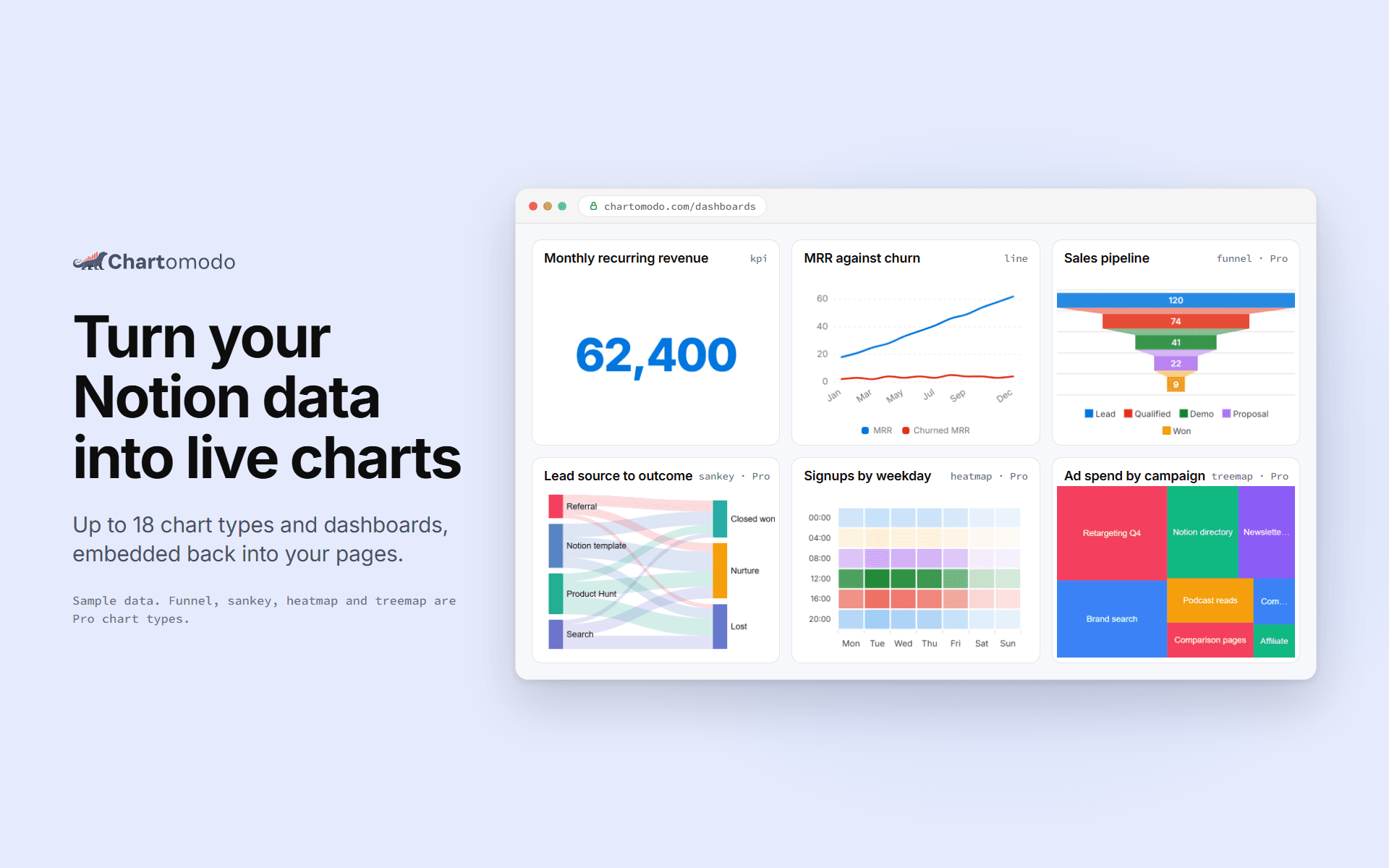
Chartomodo turns your data into charts and dashboards that you embed back into any Notion page with /embed. Charts refresh on their own: every 5 minutes on Free, every minute on Starter and Pro, every 30 seconds on Business.
What Chartomodo can chart
-
18 chart types:
bar, line, area, pie, donut, KPI, radar, scatter, heatmap, funnel, gauge, sankey, treemap, calendar, stream, bump, sunburst and waterfall. Free includes 5, Starter 11, Pro and Business all 18.
-
Rollup, formula and relation properties :
as an axis or a group. Notion's own charts cannot put a rollup on an axis; Chartomodo can.
-
Split series
, cumulative totals, percent of total, relative date filters, and number formats including currency. -
Short plain-English summary
sentences under bar, line, area, pie and donut charts, worked out from the numbers.
Where Chartomodo gets the data
-
Notion databases.
Connect one or more workspaces and share only the databases you want Chartomodo to read.
-
CSV files
, up to 5 MB and 50,000 rows. -
Connectors,
(Pro and up): PostgreSQL, MySQL (beta), Google Analytics 4, Google Search Console, Stripe (beta) and Google Sheets by link (beta). Pro includes 3 connectors, Business 10. Each one only reads.
-
HTTP API and MCP server.
Push rows from n8n, Make, Zapier or your own script, or let an agent build charts for you. Reading starts on Starter, writing on Pro. A Chartomodo node for n8n is published on npm.
Dashboards and teams
Group charts into one dashboard and embed the whole dashboard with a single link, from the Starter plan. The Business plan includes 3 editors.
Your data
Chartomodo only reads the Notion databases you share with it and makes no write calls to Notion. Details: chartomodo.com/security
Pricing
Free plan, no card required, no free trial (Always Free) : 5 charts. Starter $5, Pro $12 and Business $20 per month; yearly billing gives 2 months free. In Indonesia, paid plans can also be paid yearly in Rupiah. Full table: chartomodo.com/pricing
Chartomodo is an independent Notion integration. It is not made or endorsed by Notion. Questions: [email protected], replies within 2 business days. Start free at chartomodo.com.
Features
- Read contentCan read pages, databases, and blocks shared with this connection.
- View workspace usersReads basic profile details about workspace members and guests, including their email addresses.
How to use
-
Sign up at
chartomodo.com
with Notion, Google or email. -
Click
Connect Notionand share the pages or databases you want to chart. A CSV file, a SQL database, Google or Stripe work too.
-
Pick a database, a chart type and the fields to plot. Rollups and formulas work as an axis.
-
Copy the embed link from the builder.
-
Type
/embed
in any Notion page and paste the link. The chart refreshes on its own.